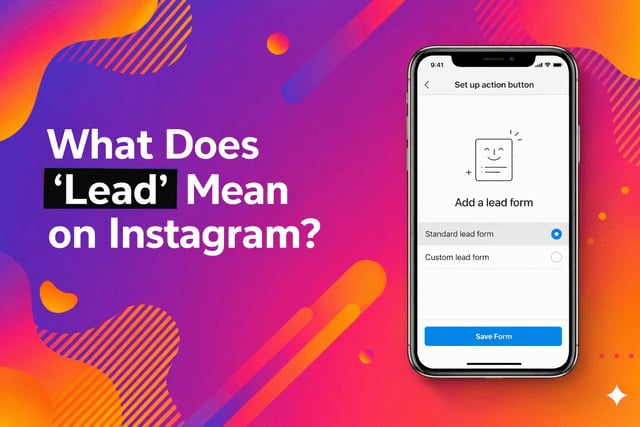
What Does "Lead" Mean on Instagram? Long story short, on Instagram, a "lead" is a person who has shown real interest in your business, usually by sending a DM, clicking your link in bio, or interacting with a lead-gen ad. Instagram labels these contacts as "Leads" inside your business inbox to help you track potential customers separately from regular followers.
If you've opened your Instagram DMs recently and spotted a small label that reads "Lead" next to someone's name, you're not alone in wondering what it means. It surprised a lot of people when Instagram quietly rolled it out. This article breaks it down in plain English, no marketing jargon, no fluff.
What is a lead on Instagram?
In everyday business language, a lead is simply someone who might become a customer. Think of it like this: if you walk past a coffee shop and stop to read the menu, you become a "lead" for that coffee shop. You haven't bought anything yet, but you're clearly interested.
On Instagram, it works the same way. A lead is someone who has taken a step beyond just scrolling past your posts. They've done something that signals genuine interest: sent you a message, tapped your link in bio, or responded to one of your ads.
Instagram uses the instagram lead label to flag those people in your DMs automatically. It's the platform's way of saying: "Hey, this person is interested. Don't lose them."
Quick definition:
Instagram lead meaning: A user who has expressed interest in your product or service, and who Instagram has marked in your inbox as a potential customer to follow up with.
Why does Instagram show "lead" in DMs?
This label only appears on business and creator accounts. You won't see it on a personal profile. Instagram introduced it as part of its suite of business tools designed to help small businesses manage customer conversations without needing a separate CRM tool.
Here's how the instagram dm labels lead system works in practice:
When someone interacts with your business through a specific touchpoint, like a lead generation ad, a "Send Message" button, or a link-in-bio form, Instagram automatically tags their DM conversation with the "Lead" label. This makes it easy to sort, filter, and prioritize conversations in your inbox.
You can also manually assign the Lead label to any DM conversation if you feel the person is a potential customer, even if Instagram didn't tag them automatically.
A real example of an Instagram lead
Let's say you run a small handmade jewellery business on Instagram. You post a reel showing a new necklace collection. A user named @sara_styles watches the whole reel, clicks your link in bio, and then sends you a DM that says: "Hey, is this necklace available in gold? What's the price?"
That is a textbook Instagram lead. Sara hasn't bought anything yet. But she's asking about price and availability, which means she's seriously considering it. Instagram will label her message as "Lead" in your inbox so you don't accidentally miss it among hundreds of other messages.
Replying quickly to leads like Sara dramatically increases the chance they convert into actual paying customers. Studies in social commerce consistently show that response time within the first hour is the single biggest factor in conversion from DM inquiries.
Also, higher engagement signals like buy Instagram likes can make your posts appear more trustworthy and appealing, encouraging more users to interact and eventually convert into leads.
Lead vs follower on Instagram
This is the most common point of confusion, so let's clear it up with a simple breakdown. A follower and a lead are very different things, even if the same person can be both.
|
Feature |
Follower |
Lead |
|
Definition |
Someone who follows your account |
Someone who has shown purchase interest |
|
Sees your posts? |
Yes |
Not necessarily |
|
Has contacted you? |
Not usually |
Yes, or shown direct intent |
|
Labelled in DMs? |
No |
Yes — "Lead" badge shown |
|
Close to buying? |
Maybe, maybe not |
Much more likely |
|
How many you have |
Could be thousands |
Usually a smaller, warmer list |
|
Value to business |
Audience awareness |
Direct revenue potential |
Think of it this way: all leads can be followers, but most followers are not leads. A lead is a follower who has raised their hand and said "I'm interested." That's a much more valuable signal.
How businesses get leads on Instagram
If you're running a business account and want to build up your list of instagram business leads, here are the most effective methods people are using right now:
🔗
Link in bio
Direct followers to a landing page or contact form. Anyone who clicks and fills out the form becomes a lead instantly.
📣
Lead ads
Instagram's native lead generation ads let users submit their name and email without ever leaving the app. These are tagged as Leads automatically.
💬
DM triggers
Ask people to DM a specific word ("INFO") in your posts or Stories. Each DM that comes in can be labelled as a lead manually or via automation.
📋
Story polls & questions
Someone who taps "Yes, I'm interested" on a Story poll and then messages you is a qualified lead — they've self-selected.
Lead generation on Instagram is now one of the platform's fastest-growing business features. As of 2025, Meta reports that over 200 million businesses use Instagram, and the majority of small business owners say DMs are their most important sales channel.
Can you remove the lead label in Instagram?
Yes, absolutely. The Lead label in Instagram DMs is completely flexible, you control it. Here's how it works:
To remove the lead label, open the DM conversation, tap the person's name at the top to open their profile in your inbox, and look for the label management option. You can remove the "Lead" tag or change it to something else like "Customer," "VIP," or a custom label you've created for your business.
Instagram's inbox labelling system is designed to be a lightweight CRM (Customer Relationship Management) tool. You don't have to keep a label just because Instagram assigned it. If someone was automatically labelled as a Lead but turned out to just be asking a random question, you can remove it in a few taps.
Pro tip:
Use Instagram's inbox filters to view only "Lead"-labelled conversations at once. This is a huge time-saver if you get a lot of DMs daily — you can prioritize your highest-intent messages without scrolling through everything.
What does "lead" mean in chat: a quick note on confusion
Some people arrive at this question after seeing the word "Lead" pop up in a chat thread and thinking it's a glitch, a weird spam tag, or even a user rank system. It's none of those things.
The what does lead mean in chat confusion usually comes from users who don't run a business account themselves. They're receiving a message from a business page and can see the label on their end, or they're a new business owner who just switched to a professional account and noticed the tagging for the first time.
In short: it's a business tool, not a personal chat feature. If your account is personal, you'll never see it. If your account is a business or creator profile, it's there to help you stay organised and never miss a sales opportunity.
Lead vs. Prospect: What’s the Real Difference?
Think of your Instagram audience like a party: some people are just there for the music (followers), some are hovering near the snack table looking interested (leads), and a few are actually asking where you bought the dip so they can get some too (prospects).
Understanding this difference is the secret to working smarter, not harder. Here is the breakdown of how to turn "likes" into "sales."
|
Feature |
Lead |
Prospect |
|
Vibe |
"I'm curious." |
"I'm interested in buying." |
|
Action |
Liked a post, clicked a link, or followed. |
DM’d about pricing, shipping, or sizes. |
|
Status |
Unfiltered and unvetted. |
Pre-qualified as a "good fit." |
|
Priority |
Low to Medium. |
High. |
The Instagram Example:
- Lead: Someone who reacts with a "🔥" to your Story.
- Prospect: Someone who DMs you, "Do you have this in medium?"
Breaking Down the "Lead" Family Tree
Not all leads are created equal. On Instagram, you’ll usually run into these four types:
- Marketing-Qualified (MQLs): The "lurkers." They watch every Reel and click your bio link, but haven't reached out yet.
- Sales-Qualified (SQLs): The "ready-to-talkers." They’re in your DMs asking for the "deets."
- Warm Leads: People who know your brand and engage regularly. They just need a gentle nudge.
- Cold Leads: One-hit wonders. They clicked a link once or followed you months ago but haven't engaged since.
Why Should You Care? (Spoiler: It’s the Money)
Followers are great for the ego, but leads are great for the bank account. In the world of social media, DMs often convert better than a fancy website. Why? Because it’s personal. When you talk to someone 1-on-1, you aren't just a logo; you’re a human. This is especially vital for:
- Freelancers and Coaches
- Small Business Owners
- E-commerce Brands
- Local Services (Hairdressers, Gyms, etc.)
How to Get More Leads (Without Being "Salesy")
You don't have to be a pushy salesperson. Just use these tactics to get people moving:
The Tactics
- Engagement Triggers: Use "Comment 'GUIDE' for the link!" to start a conversation.
- Story Stickers: Polls and "Ask Me a Question" boxes are lead-gen goldmines.
- Value-First Reels: Show how your product solves a problem, then tell them to DM you.
The Best Practices
- Speed is King: If someone asks a price, try to reply before they keep scrolling and forget about you.
- Clean Up Your Bio: Make sure your link works and your "About" section actually says what you do.
- Use DM Labels: Instagram lets you flag DMs. Label your "Prospects" so you don't lose them in the noise.
You can accelerate this process by increasing your content visibility, for example, many businesses choose to buy Instagram views to boost reach and attract more potential leads into their funnel.
Final Take
When Instagram says "Lead" in your DMs, it's not a glitch or a rank. It's a built-in business tool telling you that this person is a potential customer worth paying attention to. For business accounts, it's one of the most useful (and underused) features on the platform.
Read more: What is Instagram Competitive Insights Feature?
FAQs
Does the person know they've been labelled as a "Lead"?
No. The Lead label is only visible to you inside your business inbox. The person messaging you sees a completely normal DM conversation — no badge, no notification, nothing unusual.
Can personal accounts use the Lead label?
No. The Lead label is exclusive to Instagram business and creator accounts. If you're on a personal profile, you won't see this feature at all. You need to switch to a professional account in Settings to access it.
Is "lead" the same as "potential customer"?
Essentially, yes. The term "lead" is standard marketing language for someone who has shown interest in what you're selling but hasn't purchased yet. Instagram just brings that concept directly into the DM inbox so you don't need extra software.
Can I create custom labels instead of using "Lead"?
Yes! Instagram lets you create your own inbox labels. "Lead" is the default one for potential customers, but you can add tags like "Order placed," "VIP," "Follow up," or anything else that fits your workflow.
Does the Lead label sync with any external CRM?
Not automatically from the native Instagram app. However, if you use Meta Business Suite or third-party tools like ManyChat or HubSpot, you can connect your Instagram inbox and sync leads to an external CRM for more robust tracking.