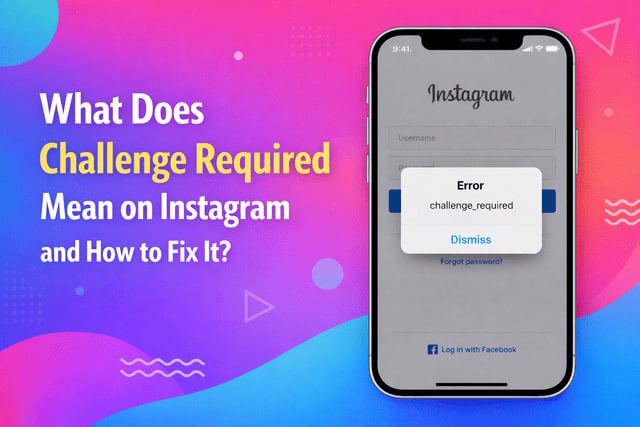
If you’ve ever tried logging into Instagram and suddenly seen the “Challenge Required” message, it can be confusing and frustrating. This notification is an Instagram security check that appears when the platform detects unusual activity or a suspicious login attempt. It doesn’t usually mean your account is banned - instead, Instagram is asking you to confirm your identity before restoring full access.
Many users encounter this issue after changing devices, using a VPN, or triggering Instagram’s anti-spam system, especially when trying to get more Instagram followers through rapid activity or third-party tools.
What Does “Challenge Required” Mean on Instagram?
Simple Explanation of the Instagram Challenge Required Error
The challenge required Instagram login error appears when Instagram’s security system wants extra verification. It’s essentially a checkpoint designed to confirm that you - not a bot or hacker - are trying to access the account.
This message is part of Instagram’s account protection system and may involve:
- Email verification
- Phone number confirmation
- A login approval prompt
- A suspicious login attempt Instagram warning
Is the Challenge Required Message a Ban or a Security Check?
No - challenge required Instagram is not a ban in most cases. It’s a temporary security measure triggered by Instagram bot detection or unusual activity. Think of it as an additional identity confirmation step rather than a punishment.
Why Instagram Shows This Login Error (Bot Detection & Suspicious Activity)
Instagram monitors login patterns to prevent spam and hacking. The system may activate if it notices:
- Rapid login attempts
- IP address changes
- Automation tools or bots
- Mass actions like follows or likes
How to Fix the Challenge Required Error on Instagram (Step-by-Step Guide)
1. Verify Your Identity Through Email or Phone Number
Follow the prompts carefully. Confirm your email or verify phone number Instagram requests to prove ownership.
2. Remove VPN and Switch to a Stable Internet Connection
Disable VPN services and use your normal mobile data or home Wi-Fi before attempting another login.
3. Restart the App and Clear Instagram Cache (iPhone & Android)
- Android: Settings → Apps → Instagram → Storage → Clear Cache
- iPhone: Reinstalling the app achieves a similar result
4. Update or Reinstall the Instagram App
Outdated software may cause the error, so reinstall Instagram if needed.
5. Change Your Password to Reset Security Flags
Updating your password often removes security restrictions and signals Instagram that your account is safe.
6. Try Logging in From a Recognized Device
Use a phone or browser you’ve used before - Instagram is more likely to trust familiar devices, especially if you’re trying to increase engagement on Instagram while avoiding triggering security alerts.
Why Does Instagram Say Challenge Required? (Most Common Causes)
-
Logging in From a New Device or Suspicious Login Attempt
Switching phones or browsers often triggers an Instagram security check, especially if the platform doesn’t recognize the device.
-
Using VPNs, Proxies, or Changing IP Address Too Often
A VPN can confuse Instagram’s algorithm because your location changes suddenly. This frequently leads to an Instagram login blocked message.
-
Instagram Verification Loop Caused by Poor Internet Connection
Unstable internet can cause the verification screen to reload repeatedly, creating an Instagram verification loop.
-
Outdated App Version or Corrupted Instagram Cache
Old app versions or damaged files may trigger login errors. Clearing Instagram cache or reinstalling the app often resolves this.
-
Instagram Server Issues or Temporary Login Block
Sometimes the issue isn’t you - Instagram servers occasionally cause temporary login blocks or errors.
How Long Does the Challenge Required Error Last?
Temporary Security Checks vs. Account Restrictions
The duration of the challenge_required Instagram login error depends on what triggered Instagram’s security system in the first place. In most situations, it’s only a temporary verification step designed to confirm your identity after a suspicious login attempt Instagram warning. Once you complete the email or phone verification, access can return within a few minutes, but some accounts remain limited for up to 24 hours while Instagram reassesses activity patterns.
Short-term security checks usually happen when:
- You log in from a new device or browser
- Your IP address changes suddenly
- Instagram detects behavior that looks automated
However, if the platform believes your account shows ongoing risk signals - for example, sudden spikes in follows, likes, or attempts to get more Instagram followers through aggressive tools - the restriction can last longer until activity returns to normal.
What NOT to Do When You See the Challenge Required Message
Avoid Automation Bots and Mass Actions
Automation tools are one of the biggest triggers behind the Instagram challenge required error. Bots often perform repetitive actions faster than a human would, which signals Instagram bot detection immediately. Even tools claiming to safely increase engagement can push your account into repeated security checks, especially if they perform bulk actions in a short time frame.
Instead of relying on aggressive automation, focus on organic activity patterns and gradual growth.
Don’t Switch Between Multiple Accounts Too Fast
Switching between many accounts within seconds can look like suspicious behavior to Instagram’s security algorithm. Each login attempt from the same device sends signals to Instagram’s system, and frequent switching may result in an Instagram login blocked message.
To reduce risk:
- Stay logged into fewer accounts at once
- Wait a few minutes between switching
- Avoid logging into multiple accounts from unfamiliar networks
Why Using Random VPN Locations Can Make It Worse
VPNs are a common cause of the why does Instagram say challenge required issue. When your IP location changes rapidly - for example, from Europe to the US within minutes - Instagram assumes someone else may be trying to access the account.
Frequent VPN switching can lead to:
- Continuous identity confirmation requests
- Instagram verification loop errors
- Temporary login restrictions
If you must use a VPN, stick to one consistent location instead of rotating servers randomly.
How to Prevent the Challenge Required Error in the Future
-
Enable Two-Factor Authentication for Instagram Security
Two-factor authentication adds an extra layer of protection and tells Instagram that your account is actively secured. This reduces the likelihood of suspicious login alerts and helps prevent repeated security checks. When Instagram sees consistent verification methods, it becomes less likely to flag normal activity as risky.
-
Keep a Consistent Login Location and Device
Instagram’s system learns your usual login behavior over time. Using the same phone, browser, and internet connection creates a stable pattern that lowers the chances of triggering a challenge required Instagram login error.
Best practices include:
- Avoid logging in from public Wi-Fi networks
- Use trusted devices whenever possible
- Limit frequent device switching
Maintaining consistency is especially important if you want to increase engagement without triggering security warnings, since sudden behavior changes are often mistaken for automation.
-
Maintain a Clean App Cache and Updated Version
Outdated app versions or corrupted files can create technical glitches that look like suspicious activity to Instagram’s servers. Regularly updating the app and clearing Instagram cache helps prevent login issues and reduces the risk of verification loops.
Try these maintenance steps:
- Update Instagram from the App Store or Google Play
- Clear cache (Android) or reinstall the app (iPhone)
- Restart your device after updates
If your goal is to increase visibility of your Instagram posts while keeping your account safe, focus on consistent usage patterns, secure login practices, and avoiding tools that manipulate activity in unnatural ways.
FAQ
Is Challenge Required Instagram a Shadowban?
No. A shadowban affects reach and visibility, while the challenge required error is simply a login security check.
Can’t Pass Instagram Challenge Required - What Should I Do?
Try logging in from a recognized device, switch off VPN, reset your password, and wait a few hours before retrying.
Does Challenge Required Mean My Account Is Hacked?
Not necessarily. It usually means Instagram detected unusual activity and wants identity confirmation.
Challenge Required Instagram iPhone vs Android - Is It Different?
The error works the same on both platforms, though Android users can clear Instagram cache directly, while iPhone users typically need to reinstall the app.