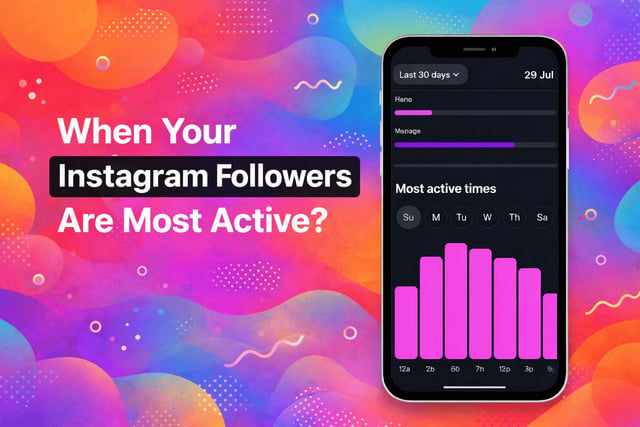
If you want more views, likes, and engagement on Instagram, timing matters more than most people realize. A post can be well-made and still underperform simply because it was shared when followers were not online. Posting at the right moment gives your content a much better chance to reach people before it gets buried in the feed, which is especially important when you are focused on boosting Instagram followers and growing consistently. The good news is that Instagram shows you exactly when your audience is most active, you just need to know where to look.
This guide walks you through how to see when your followers are most active on Instagram using clear, simple steps. No jargon. No fluff. Just practical actions you can use right away to post smarter and get better results.
Key Takeaways
- Instagram shows when your audience is online using built-in Insights
- You need a Professional account to access follower activity data
- Posting during peak hours improves reach and engagement
- Timing works best when paired with strong content and consistency
What “Most Active Followers” Means on Instagram
When Instagram talks about “most active followers,” it is referring to the times when the largest number of your followers are online and actively using the app. This data comes from real usage patterns, not estimates or averages across the platform. Instagram tracks when your followers open the app, scroll, interact, and consume content.
This information is part of Instagram audience activity insights, and it is incredibly valuable because early engagement matters more than ever. When your post gets likes, comments, or views quickly, Instagram’s algorithm is more likely to push it to more people. That is why posting when followers are online can dramatically improve visibility.
Think of it like telling a joke at a party. Saying it when everyone is listening gets laughs. Saying it when the room is empty does not.
You Need a Professional Instagram Account to See Follower Activity
Instagram does not show follower activity data to personal accounts. You must be using either a Business or Creator account to access Insights. This is a common roadblock for people searching for how to check follower activity on Instagram and thinking the feature is broken.
Professional accounts unlock detailed analytics like reach, impressions, and Instagram analytics for followers. These tools are free, easy to enable, and reversible if you change your mind later. There is no downside unless you really want to keep your account fully private.
Once you switch, Instagram begins collecting data that helps you understand Instagram content performance and audience behavior.
How to Switch to a Professional Account
Switching takes less than a minute and does not affect your content.
- Open Instagram and go to your profile.2.
- Tap the three lines in the top-right corner.
- Select Settings and privacy.
- Tap Account type and tools.
- Choose Switch to professional account.
Instagram will ask whether you are a Creator or Business. Either option works for accessing Instagram professional account insights, so pick what fits your situation best.
Step by Step: How to See When Your Instagram Followers Are Most Active
Once your Professional account is active, accessing follower activity is straightforward.
- Go to your profile and tap Insights.
- Select Total followers.
- Scroll down until you see Most active times.
You will see two sections showing Instagram posting times by hour and Instagram posting times by day. These charts visually display when your followers are most active across a typical week.
This section answers the question many creators ask: when are my Instagram followers most active.
How to Read Instagram’s Most Active Times Chart
At first glance, the chart can look confusing, but it becomes simple once you know what to look for. Instagram divides activity into hourly and daily patterns so you can see both short-term and long-term trends.
The goal is not to find one perfect time. The goal is to identify repeatable patterns that you can build a posting routine around. This data becomes even more useful when paired with content performance metrics like reach.
Read more: What Does “Accounts Reached” Mean on Instagram?
The Best Time to Post on Instagram for Your Account
To find the best time to post on Instagram for your account, you first need to understand how your followers behave throughout the day. Instagram breaks this data down by hours, showing you exactly when your audience is most active and most likely to engage with your content.
MostaActive Hours
The hourly chart shows when your followers are online during a typical day. You might notice spikes in the morning, during lunch, or in the evening.
For example, if you see peaks around 8 AM and 7 PM, that suggests your audience checks Instagram before work and after dinner. Posting 15 to 30 minutes before those spikes often works best because your content is already live when users open the app.
This insight helps define best hours to post on Instagram, which is one of the biggest drivers of early engagement.
Most Active Days
The daily chart shows which days of the week your followers are most active. Some audiences are more active on weekdays, while others peak on weekends.
If you notice strong activity on Wednesdays and Sundays, those days should be reserved for your most important posts. This is especially helpful when planning launches, promotions, or collaborations.
Understanding the best days to post on Instagram allows you to align content types with audience behavior and improve Instagram reach and engagement over time.
How to Pick the Best Posting Times for Your Account
Once you have reviewed your data, it is time to turn it into a posting strategy. Start by identifying the top two or three time blocks with the highest activity.
A simple approach is to:
- Choose one high-activity time during the day
- Choose one high-activity time in the evening
- Post consistently at those times for two weeks
This method helps you establish a best posting schedule for Instagram without overthinking it. Consistency matters more than perfection, and Instagram rewards predictable posting habits.
Instagram Posting Times by Hour vs Day: Which Matters More?
Both metrics matter, but they serve different purposes. Hourly data helps you fine-tune timing, while daily data helps you prioritize content.
If you can only post once per day, focus on the best hour during your strongest day. If you post frequently, use hourly data to schedule multiple posts without overlapping inactive periods.
This balance improves Instagram engagement timing and prevents content from competing with itself.
What to Do if You Do Not Have Enough Data Yet
New or small accounts may not see detailed charts right away. That does not mean you are stuck. Instagram needs time to collect enough activity data.
Until then, you can:
- Use general industry benchmarks
- Review past post performance
- Observe similar accounts in your niche
Testing morning, afternoon, and evening posts helps you gather early insights. As your account grows, Instagram audience activity insights will become more precise.
How to Use Instagram Insights Beyond Follower Activity
Follower activity is only one piece of the puzzle. To grow effectively, you need to understand how posts perform after publishing.
Learning how to use Instagram Insights allows you to connect posting time with saves, shares, and profile visits. This makes it easier to refine content ideas and improve Instagram growth strategy over time.
For deeper tracking, tools that show your exact audience size can be helpful.
Read more: How To View Your Exact Follower Count On Instagram?
How to Use This Data to Improve Your Results
Timing alone will not save weak content, but strong content posted at the right time can outperform expectations. Combine peak posting times with compelling hooks, clear visuals, and captions that invite interaction.
Simple habits like replying to comments in the first ten minutes can significantly improve Instagram engagement rate. Reels, carousels, and Stories all benefit from smart timing, especially during high-activity hours.
How to Create Enough Content to Post at the Right Times
Many creators know their best posting times but struggle to stay consistent. Content creation takes time, energy, and planning.
Batching content, repurposing posts, and scheduling in advance helps maintain consistency without burnout. This approach supports long-term Instagram content scheduling tips and ensures you never miss peak windows.
When engagement grows, strategies to gain more likes on Instagram can further amplify momentum during your most active follower periods.
Final Verdict
Learning how to see when your followers are most active on Instagram removes guesswork from your strategy. Instagram already gives you the data. You just need to know where to find it and how to use it.
When you align strong content with the right timing, your posts gain traction faster, reach more people, and perform better overall. Combine insights, consistency, and smart growth tools, and your Instagram presence becomes much easier to manage and scale.
FAQs
How often does Instagram update follower activity data?
Instagram updates Instagram Insights followers activity regularly, usually based on recent behavior. It reflects trends over time rather than single-day spikes.
Can I see follower activity on a personal account?
No, you must use a Professional account to access Instagram professional account insights and activity charts.
What is the best time to post on Instagram for engagement?
The best time to post on Instagram depends on your audience. Use hourly and daily charts to identify peak activity instead of relying on generic advice.
Does posting at the right time guarantee more engagement?
Timing improves visibility, but content quality still matters. The best results come from pairing timing with strong hooks and visuals.
How long should I test a posting schedule?
Test your schedule for at least two weeks before making changes. This gives enough data to evaluate Instagram content performance accurately.
Can I see when my followers are active on Instagram without Insights?
No. Instagram only shows follower activity data through Insights, which are available on Professional accounts.
How accurate is Instagram’s “Most Active Times” data?
The data is based on real follower activity patterns. While it is not exact to the minute, it is reliable for identifying the best posting times.
Why did my Instagram follower activity disappear?
This usually happens if you switch back to a personal account, your account is new, or Instagram does not have enough data yet.
Should I post at the exact peak time shown in Insights?
It is better to post slightly before the peak time so your content is already live when followers open Instagram.