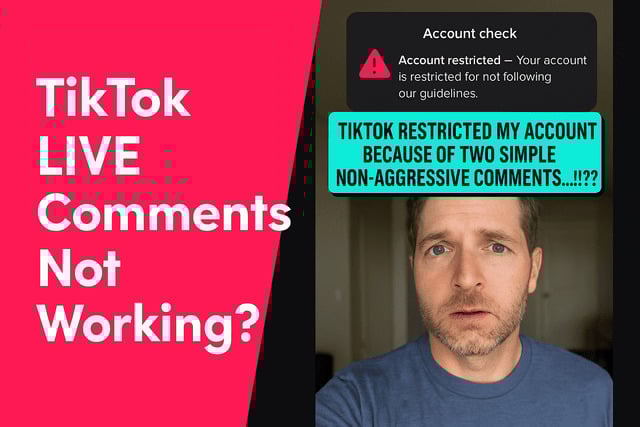
If you are trying to figure out Why Can’t I View or Send Comments on TikTok LIVE?, you are probably watching a stream and noticing that your messages never appear. When comments refuse to send, vanish after posting, or do not load at all, it can feel like something is seriously wrong. The good news is that most causes are simple once you know where to look.
Let’s break down the most common reasons for this problem, from technical glitches to TikTok LIVE comment restrictions, and walk through how you can get your comments to show up again.
Why You Can’t See or Send Comments on TikTik LIVE?
There are several reasons why TikTok LIVE comments not working suddenly becomes a problem. Sometimes the issue comes from your account, and other times it is linked to the host, the network, or TikTok moderation tools. When TikTok comments not appearing on Android/iPhone or comments fail to load, you are usually dealing with one of the following:
- Temporary restrictions placed because of unusual comment activity or spam detection.
- Muted or blocked status set by the host or moderators during the LIVE.
- Filtered or hidden comments triggered by strict TikTok LIVE comment permissions or content filters.
- Age-based limitations that restrict interaction for younger users.
- Technical issues such as TikTok app glitch comments, outdated app versions, or cache errors.
- Server or network problems causing TikTok LIVE comments slow or lagging or failing to appear entirely.
Sometimes people think their account is glitched because comments will not send, and this confusion often happens alongside issues like why I can’t direct message on TikTok when TikTok limits certain features at the same time.
You Might Be Temporarily Blocked From Commenting?
A surprising number of TikTok users do not realize they have been hit with a TikTok temporary commenting restriction until their comment suddenly vanishes. TikTok uses automated moderation to detect spam, unusual patterns, or risky behavior. If the system thinks your comments look repetitive or overly fast, it may restrict you from posting during LIVE streams.
This is also why some users experience TikTok shadowban comments, where the message appears on their screen but does not become visible to anyone else. Imagine thinking you are part of the conversation while everyone literally sees nothing. I had this happen after sending three laughing emojis during a funny stream. The app flagged it as spam because too many people in the chat were doing the same thing at the same time.
Sometimes the app puts a hold on your account because it detects TikTok suspicious activity account lock, which can trigger on both new and older accounts. If the restriction lasts only a few hours, it is almost always automated.
If your account is missing basic interaction features, it may also affect LIVE functions, similar to what happens in situations covered in how to get LIVE access on TikTok when users cannot fully use the platform until certain requirements are met.
Why the Host’s Settings May Be Hiding Your Comments?
Sometimes the issue has nothing to do with you. LIVE hosts can choose who gets to comment, and the settings can be extremely specific. For example, a host may have enabled TikTok comment visibility settings, which hide certain words or auto filter comments that contain blocked terms.
These features help protect creators from harassment, but they can accidentally silence normal viewers too. I once joined a LIVE where the host had set a strict TikTok banned words list LIVE, so half of the chat’s harmless comments were filtered out. If you typed something that even resembled a restricted phrase, your message instantly disappeared.
Additionally, a host or moderator can mute or block users. That is when the dreaded TikTok LIVE muted user situation happens. Your comment sends on your screen, but TikTok prevents it from reaching the stream.
Hosts also use TikTok LIVE host comment settings to limit comments to followers only. In that case, your messages will never appear until you follow them. It is like trying to talk to someone through a locked door.
If you’re curious about the requirements for starting your own livestream, check out our article How Many Followers on TikTok to Go Live to see what it takes to unlock that feature.
Age Restrictions That Affect TikTok LIVE Comments
Not everyone realizes that LIVE features come with age rules. TikTok requires users to be at least 16 to go LIVE and at least 18 to send gifts. Although commenting is allowed for younger users, some settings linked to TikTok underage account comment restrictions may still affect who can comment depending on the stream.
Restricted mode and parental controls can also block comments. If someone enabled TikTok restricted mode comments on your device, it can prevent you from interacting during a stream. Parents sometimes activate TikTok parental controls blocking comments without knowing how much it limits interaction.
If TikTok suspects a user misrepresented their age, the system automatically applies TikTok LIVE community guidelines violation rules, which can temporarily hide commenting options.
Connection Issues That Can Stop Comments From Loading
One of the most common reasons behind TikTok LIVE comments not showing is a weak internet connection. LIVE streams need consistent data flow. If your network is even slightly unstable, the comment section might lag or freeze.
I once tried interacting with a creator while traveling, only to discover my TikTok LIVE weak connection issues made it impossible for comments to load. It was like the chat was moving at half speed. This happens when the app cannot keep up with incoming messages due to the network struggling.
Some users deal with TikTok comments not loading, which usually points to TikTok LIVE lag affecting comments or overloaded servers. Slow comments often appear during highly popular streams where thousands of people comment at the same time.
Even background apps can interfere with LIVE performance and cause TikTok LIVE streaming issues, especially if they use too much data or processing power.
Fixes to Try When LIVE Comments Won’t Show Up
If you are searching for how to fix TikTok LIVE comments not working, most solutions are quick and simple. These troubleshooting steps often restore your ability to comment and view chat activity instantly:
- Restart the TikTok app to resolve temporary glitches.
- Clear the TikTok cache to fix corrupted data that may block comment loading.
- Update the TikTok app, since older versions often contain bugs that affect LIVE features.
- Switch to a stronger or more stable internet connection to eliminate lag or slow comment loading.
- Log out and log back into your TikTok account to refresh your session.
- Check for account warnings, since a recent guideline violation may trigger a TikTok LIVE comment restriction.
- Disable Restricted Mode or parental controls if they are blocking LIVE interactions.
- Restart your device, especially if you notice wider performance issues outside TikTok.
Some viewers also struggle with LIVE tools in general, and the experience is similar to issues described in our article how to screen share on TikTok LIVE where missing features often come down to simple settings or account limitations.
How to Avoid Comment Restrictions in the Future?
Staying aware of TikTok guidelines and keeping your account healthy helps prevent future issues with TikTok LIVE comment problems. If you want to avoid getting hit with a TikTok temporary commenting restriction, here is what you can do:
- Comment naturally and avoid repeating the same message over and over.
- Avoid spam-like behavior, including rapid commenting or posting identical emojis.
- Keep your language clean so you do not trigger TikTok auto-moderation comments or blocked word filters.
- Stay active and authentic to build a trustworthy account history that avoids suspicion.
- Do not use banned or inappropriate terms, especially during sensitive streams.
- Review LIVE host rules before participating, since some creators have strict filters.
- Maintain consistent engagement across TikTok to show normal, human activity patterns.
- Monitor your account notifications so you see any warnings before restrictions escalate.
Following these habits makes it less likely that TikTok will limit your ability to comment during LIVE sessions.
Final Verdict
If you have ever wondered Why Can’t I View or Send Comments on TikTok LIVE?, the answer usually comes down to one of a few things. It may be an automated restriction, a technical glitch, a connection problem, or something in the host’s settings. Once you know these possibilities, it becomes much easier to understand what is happening and how to fix it.
TikTok LIVE is meant to be interactive and fun. When comments disappear or refuse to send, it ruins the flow, but most issues can be solved with simple adjustments. Keep your app updated, your device clear of clogging data, your network stable, and your account compliant.
If your comments still do not appear, patience may be your best tool. Restrictions eventually expire, and once they do, you can jump back into the chat and interact with creators again.
FAQs
Why are TikTok LIVE comments not showing for me?
This usually happens because of connection issues, outdated app data, or temporary restrictions. The app may also be lagging due to high chat volume. Try restarting TikTok or refreshing your network and the comments should load normally.
Why can’t I comment on TikTok LIVE even though my account is active?
Your account may have been flagged for unusual behavior which activated a temporary commenting hold. This can occur from repeated messages, spam-like activity, or guideline risks. Restrictions normally lift automatically after a short period.
Why do my comments appear only on my screen but not to others?
This is often a form of silent filtering caused by moderation tools. You may be muted by the host or caught in an automatic filter. These filters include blocked words, spam detection, or safety rules.
How do I fix TikTok comments not sending during LIVE?
Start by refreshing your app, clearing cache, updating TikTok, or switching to better internet. Log out and back in if the problem continues. If your account is flagged, you may need to wait until restriction periods end.
Why did my TikTok LIVE comments disappear suddenly?
Disappearing comments usually point to moderation filters or glitchy connection problems. The host may have updated comment settings or moderators might have silenced users temporarily. Refreshing the stream often fixes this issue.